PatchWork Overview
PatchWork is the visual workflow tool that wires together prompt nodes, image / video generation nodes, and approval gates. The Manager produces .nbflow files; PatchWork executes them.
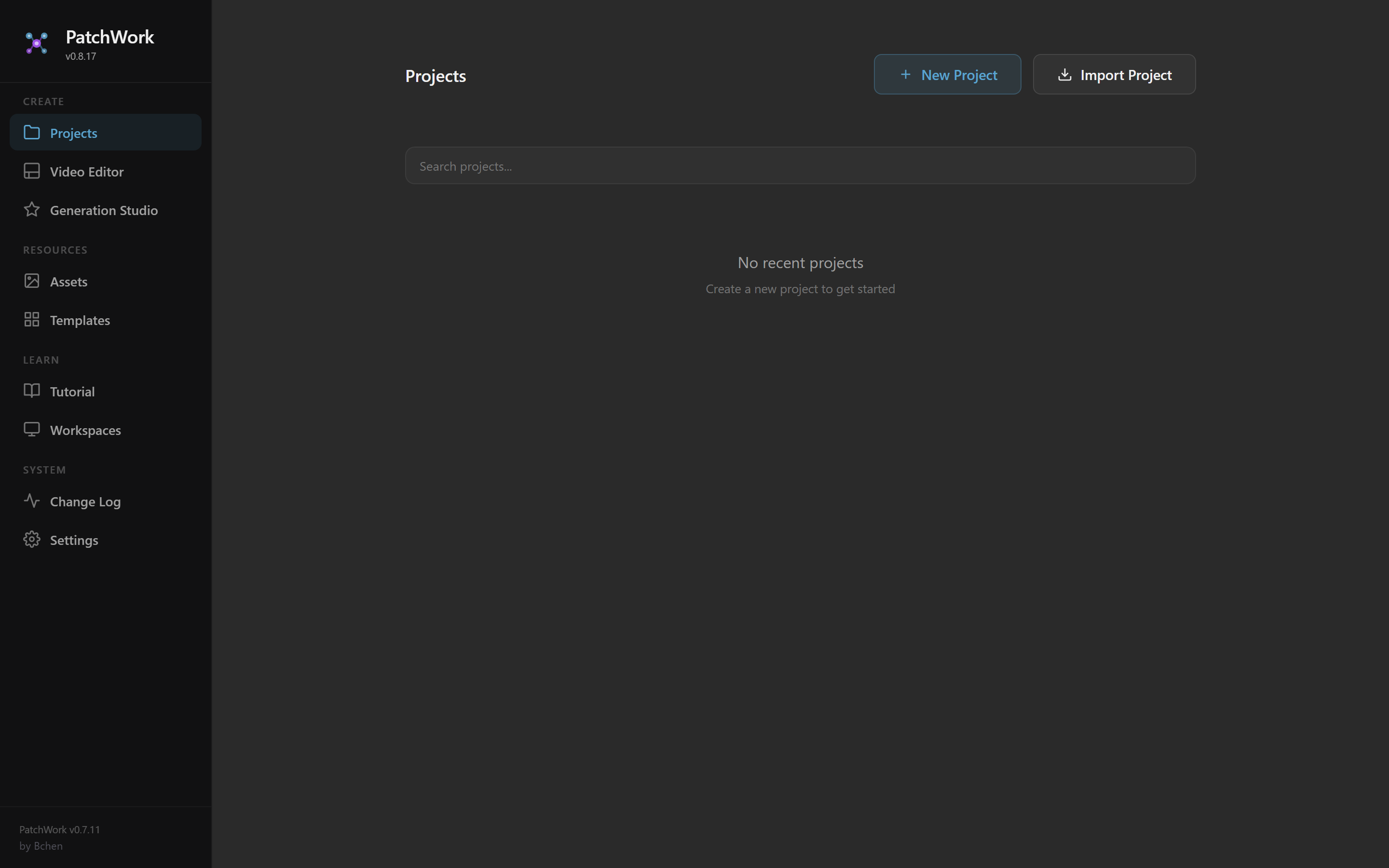
PatchWork's landing page. Left sidebar navigates between Projects, Video Editor, Generation Studio, Templates, Settings. Main area shows your project list.
What PatchWork is
- Web app: https://patchwork-33m.pages.dev/ (production, hosted on Cloudflare Pages).
- Local dev:
npm run devfrom thePatchwork/repo if you need to test changes to the tool itself. Not used for routine generation. - Backend: every PatchWork install needs a G-Labs backend to actually run generations. G-Labs runs locally on
http://localhost:8765and is exposed via cloudflared tunnel for remote access.
What an .nbflow looks like
An .nbflow is JSON. Top-level shape:
{
  "name": "XYZG1-V0-3",
  "tabs": [
    {
      "name": "Account A",
      "graphData": {
        "nodes": [ /* ... */ ],
        "links": [ /* ... */ ]
      }
    },
    {
      "name": "Account B",
      "graphData": { "nodes": [ ], "links": [ ] }
    }
  ]
}
One tab per account in a multi-account workflow. Each tab is an independent graph of nodes and links. The workflow name follows the code convention (XYZG1 = brand XYZ, first growth workflow; -V0-3 = third testing iteration).
The main node types
| Type | What it does |
|---|---|
nanobanana/Prompt |
Holds prompt text. Two modes: template (with {placeholder} substitution) or dynamic (multi-row, one row per scene). |
nanobanana/Media |
Holds a reference image (uploaded by the user — avatar reference sheet, product photo, etc.) OR a generated output URL. |
nanobanana/NanobananaAPI |
Image generation node. Takes a prompt + up to 2 reference images, calls the G-Labs API, produces N candidate stills. |
nanobanana/Veo3 |
Video generation node. Takes a prompt + start frame + (optional) end frame, calls Veo 3.1, produces N video clips. |
Approve / Approval |
Gate node. Surfaces the upstream gen's candidates in a gallery for the user to pick from. |
The architecture pattern: dynamic feeds template feeds generation
flowchart LR
    DP[Dynamic Prompt<br/>4 dialogue rows] --> T[Static Template<br/>{dialogue} placeholder]
    SF[Start Frame<br/>Media node] --> V[Veo3]
    T --> V
    V --> A[Approve]
Every variable part of a prompt lives in a Dynamic Prompt node that feeds into a static template Prompt node. The template carries the universal structure (camera, lighting, framing); the dynamic carries what changes per scene.
A 4-row dynamic feeding one template feeding one Veo3 node produces 4 separate video clips through that single Veo3 — the dynamic IS the fan-out mechanism. You don't need 4 parallel Veo3 nodes.
One generation node per (template + media), not per row
When N rows share the same template AND the same start-frame image, use one generation node. The dynamic node fans out automatically. Creating parallel generation nodes per row inflates the workflow and breaks variant fan-out.
Critical rules
Summary of the most important rules:
Dynamic variableName must match the template placeholder- The dynamic node's
properties.variableNameis the wiring contract. If the template references{scene}, the dynamic must havevariableName: "scene". Don't use the node's human-readable title as thevariableName— substitution will silently fail and the model receives the literal string{scene}as the prompt. Image generation model is always nano_banana_2- Every
NanobananaAPInode must haveproperties.model = "nano_banana_2". Leaving it unset defaults to NanoBanana 1, which produces different (worse) results. outputCount is always 4- Both image and video gens produce 4 candidates per row. Lets the user pick the strongest take from the PatchWork gallery.
Link refs must stay in sync- Edges live in two places: the central
tab.graphData.linksarray AND per-nodeoutputs[].links/inputs[].linkrefs. PatchWork's UI renderer reads the per-node refs; the headless runner reads the central array. Mutation scripts (renumbering, fan-out, variant patching) MUST resync per-node refs after any structural change. Veo3 needs 3 input slots with spaces- Canonical Veo3 inputs are
[{name: "prompt"}, {name: "start frame"}, {name: "end frame"}]. With spaces, not underscores. Missing slots causer.trim is not a functiontoast errors on import.
The pre-generation sanity check
Run this before triggering Generation Runner on any .nbflow. Catches the model-mismatch bug, the outputCount default-drift bug, the dynamic variableName mismatch class, and dangling links — all in one pass.
import json, re
data = json.load(open(p))
for tab in data['tabs']:
    nodes = {n['id']: n for n in tab['graphData']['nodes']}
    for n in nodes.values():
        if n.get('type') == 'nanobanana/NanobananaAPI':
            assert n['properties'].get('model') == 'nano_banana_2'
            assert n['properties'].get('outputCount') == 4
        if n.get('type') == 'nanobanana/Veo3':
            assert n['properties'].get('outputCount') == 4
            assert isinstance(n['properties'].get('negativePrompt'), str)
            assert len(n.get('inputs', [])) == 3
    templates = {m for n in nodes.values()
                 if n.get('type')=='nanobanana/Prompt' and n.get('properties',{}).get('templateMode')
                 for m in re.findall(r'\{([a-zA-Z_]\w*)\}', n['properties'].get('text',''))}
    varnames = {n['properties'].get('variableName') for n in nodes.values()
                if n.get('type')=='nanobanana/Prompt' and n.get('properties',{}).get('dynamicMode')}
    assert templates <= varnames, f'unmatched placeholders: {templates - varnames}'
    for l in tab['graphData']['links']:
        link_id, src, src_slot, tgt, tgt_slot, _ = l
        target_inputs = nodes[tgt].get('inputs', [])
        assert tgt_slot < len(target_inputs), f'dangling link {link_id} -> #{tgt} slot {tgt_slot}'
A more complete version (including link-ref sync validation) is maintained internally and applied to every workflow before generation.
Where to learn more
This is a starter overview. Detailed docs to come:
- Node properties reference (every field on every node type)
- Connection rules (which outputs can feed which inputs)
- Common errors and their fixes
- The PatchWork web UI walkthrough (with screenshots)
- The G-Labs tunnel setup
- Generation Runner internals
These pages are coming. For now, the operator's experience is the best reference — open a working .nbflow in the PatchWork UI and inspect the node graph.